Major Improvements & Features
- Selectable Forecast Chart UoM - New in StockIQ's Forecast Manager is the ability to view your chart in whichever unit of measure you choose, using the Forecast Manager Display Options. Chose between units, COGS, Revenue, and Margin.
- Comanufacturer Order Forwarding - For organizations that heavily use co-manufacturers, and have co-manufacturer sites to deal with, StockIQ now has a feature whereby if any sites are identified to StockIQ has a co-man site, StockIQ will attempt to auto-create a transfer record in StockIQ to stand in for the assumed/inferred transfer of goods from the coman to your final site. This allows the site to be planned appropriately, as well as handle cases where you have multiple co-manufacturers supplying an end-site, to ensure each is planned with knowledge of production at the other coman(s).
- Additional ERP Integrations - StockIQ continues to add new ERP integrations:
- SAP Business One
- Epicor ERP
- Fulfill.IO
- BigQuery
- Unleashed ERP
- Shared Component Allocation - When placing orders, StockIQ will now evaluate all parent items in your order to see if any shared components are used by multiple finished goods, resulting in possible shortages. A new Component Allocation Detail Dialog shows which components of a given finished good are at risk.
- Top-Down Forecast Overrides - When saving forecasts from a level of your forecast hierarchy that is above your bottom level, StockIQ will now warn you of any child overrides that may exist, and give you the option to either override them or keep the existing child overrides and be aware they are there.
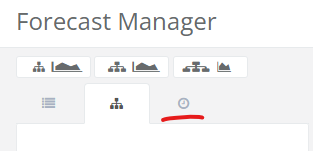
- Recent Items tab in Forecast Manager - We've added a "recent items" tab in Forecast Manager to let you get quickly back to things you've been looking at in the recent past.
- "Fulfilled By Amazon" (FBA) Multi-Hub Capabilities - We've added the ability for a given spoke to have multiple hubs, helping to satisfy the condition where one logical "FBA" site represents multiple physical locations that might be fulfilled out of many separate DC's owned by your organization. Allowing for this split based on customer activity allows you to plan DC inventory levels appropriate to the level of demand they serve.
- Forecast-Group Specific Forecast COGS & Revenue Calculations - For organizations wishing to do revenue projections based on their forecast, StockIQ now looks at historical average unit cost and price information by customer to then use this for projecting forward average cost and price for a given group of customers, thus providing more accurate forward-looking COGS and Revenue forecasts
- Substitute Improvements - The Place Orders substitutes logic has been extended to cover other cases, as well as making a recommendation on which substitute you might want to take. Additional options are in place for substitute vendor suggestions. New columns for # of substitutes and # of recommended substitutes are present as well.
Minor Improvements
- Add column to show remaining open quantity in dependent open demands popup of Inventory Snapshot
- Add data-checking logic to detect and optionally abort refresh when StockIQ detects that input data files or queries have been truncated, to help avoid data loss.
- Enhance Forecast import to check category value after category code/identifier when matching nodes
- Option for > 12 months in the manual forecast edit worksheet in Forecast Manager.
- Add on-order quantity to Alternates popup in Inventory Snapshot
- Add Order Policy to safety stock display, such as in Forecast Manager or Inventory Snapshot Safety Stock tab.
- Forecast Vs Actuals alert now takes events into account before alerting
- Add option to allow for making auto-created hub-spoke transfer records use pallet transfer quantity or match min/multiples of the original source supplier
- Enhance Cumulative lead-time logic to auto-stop at first level where item-site has a stocking order policy
- Show item and item-site ERP notes in Order History screen
- Add "By ABC" to Service Level screen
- Add Weekly Pivot Grid for Forecast Analysis and Firm-And-Planned screens
- Add ability to suspend "Launch Order" messages directly in Place Orders screen
- Add Inventory as a % of Revenue to inventory chart on home screen to help with measuring inventory efficiency changes over time.
- Lost Item Customer screen
- Context menu option to split an order line into "N" lines in Place Orders screen at order time
- "Vendor Multiple Quantity" targeting option to target by full supplier case sizes
- Delete Multiple for Order Policy overrides
- Delete multiple for Lead Time Overrides
- Container loading logic prioritizes container loading by how badly items are needed (fewest days of cycle stock)
- Warning prompt when user is using Place Orders on a day the sites are not open (weekends + holidays)
- Add columns for Order Quantity and cost in terms of purchasing UoM in Place Orders
- Extend BuildToOrder policy to work properly through multiple levels of BuildToOrder assemblies and subassemblies
- Implement display for Supplier On hand, with warnings when ordering more than supplier has on hand, plus Allocation Wizard logic for same.
- Allow editing of notes on Review Orders screen
- Add option to allow Order Wizard to operate on Build To Order and Buy To Order policy items
- Add categories to service level screen
Bug Fixes
- Fix Quarterly and Annual rollups showing incorrect totals in Forecast Analysis
- Improve handling of available-to-promise calculations where some components have LT's longer than configured planning horizon
- Ensure dependent forecast summary chart updated on components when parent item forecast is changed
- Leftover manual forecast not zeroed out after an item obsolete date in some cases
- Top-down save of supplemental forecast not using correct fair-share weights
- Fixes to forecast import when converting between weekly + monthly
- Fix possible loop when making forecasts on some item-site replacement scenarios
- Firm & Planned screen not loading views properly
- Max Stock not calculated for stock order policy items if have 0 usage or 0 SS
- In Transit quantity not correct in Place Orders
- Refresh can crash under certain conditions with sales order fulfillments and replacements
- Cannot save zeroes in top-down forecasts
- Saving multiple events in a row can lead to duplicate event headers and periods.
- Fix confusing error message when user leaves out item, site, or supplier in some override screens