When you are in Place Orders and looking at your order suggestions from a manufacturing type supplier, you may see a red warning flag on your order quantity. This is shown when the plan to make the displayed quantity is "At Risk" due to insufficient material quantity:
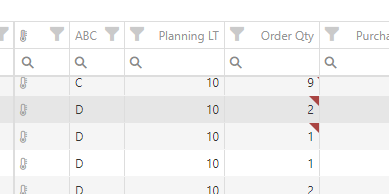
This flag will be associated with a message in a red banner below the order list. It will take a few different forms depending on if the shortage is:

- For a direct component of the finished good
- A component further down the BoM
- If the component is shared across multiple finished goods currently in your order.
To see details on what the limitations are, right-click on the line in question, and select the "Component Allocation Detail..." option in the resulting context menu:
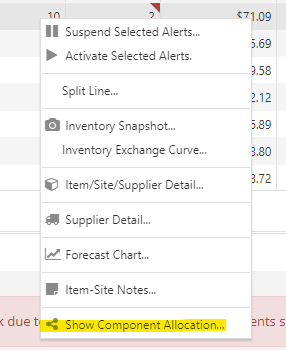
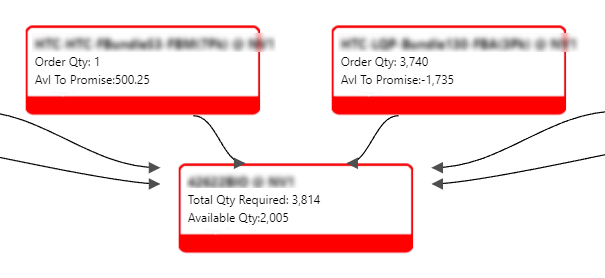
The resulting dialog will show you the affected finished goods, subassemblies, and components in a tree layout.
Nodes shown in red are ones at risk. Those in green are OK.
Top-level nodes will be for those in the order lines in your order and show their order quantity requirements. Lower-level nodes will the total quantity/load being placed upon them from all parents:
To take action on what you've found, the Allocation Wizard can attempt to automatically solve these shared allocation issues.