When clicking the "Place Order" button in the Place Orders screen, if you receive an error message back from your ERP system, most of the time this means that your order did not successfully make it to the ERP.
When this happens, StockIQ saves the order, and you can see it in the Order History screen. StockIQ will also show a large red warning banner in step 1 of the Place Orders screen to notify you that there are open, unsynced orders that need your attention.
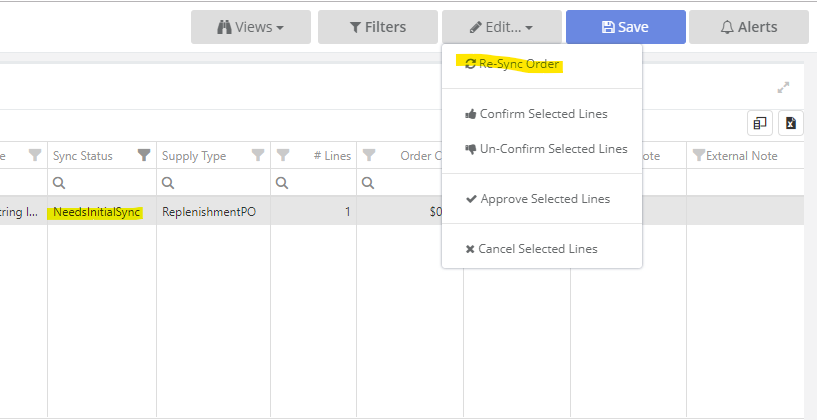
The header of the order will show as "Needs Initial Sync" or "Needs Resync".
After you have corrected whatever error caused the problem in the first place, you can re-send the order by clicking Edit --> Re Sync Order. StockIQ will attempt to send the order back to the ERP.
If you continue to receive error messages, don't hesitate to contact StockIQ support.