Min/Max is one of the Order Policies available in StockIQ, and this allows you to set up an item to behave somewhat like an older min/max order behavior. This can be especially useful if you are space constrained and need to make sure that you only order up to a certain level.
Configuring this takes 2 steps, if the items are not already set this way coming from the ERP extracts:
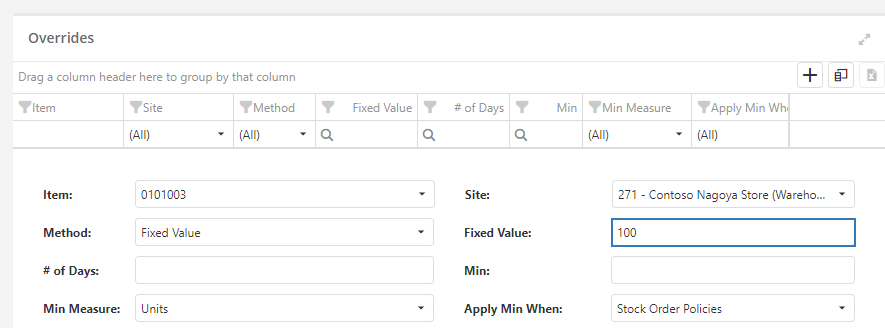
1. Configure a safety stock override that sets the fixed "Min" level that you want to have for the item using the Safety Stock Settings override screen. Here we are setting a min of 100:
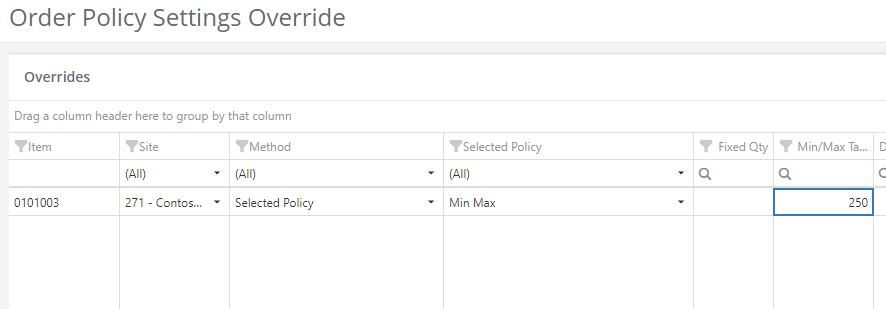
2. Configure an order policy override for the Min / Max policy that specifies what you want your max order-up-to level to be. In this example, we're setting up a max level of 250:
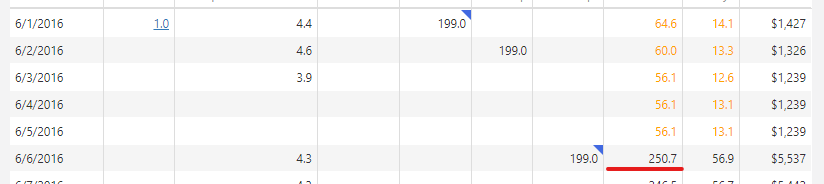
Once this data is in place, when StockIQ projects, based on firm demand, firm supply, and optionally independent and/or dependent forecasts, that your item will be at our below safety stock, it will order a quantity such that you will be at your max inventory level when that order arrives or at the end of any extra coverage days you have specified.
To configure what forecast information is / is not included when using the Min Max Order Policy, check out the Min Max Order Policy Settings screen.