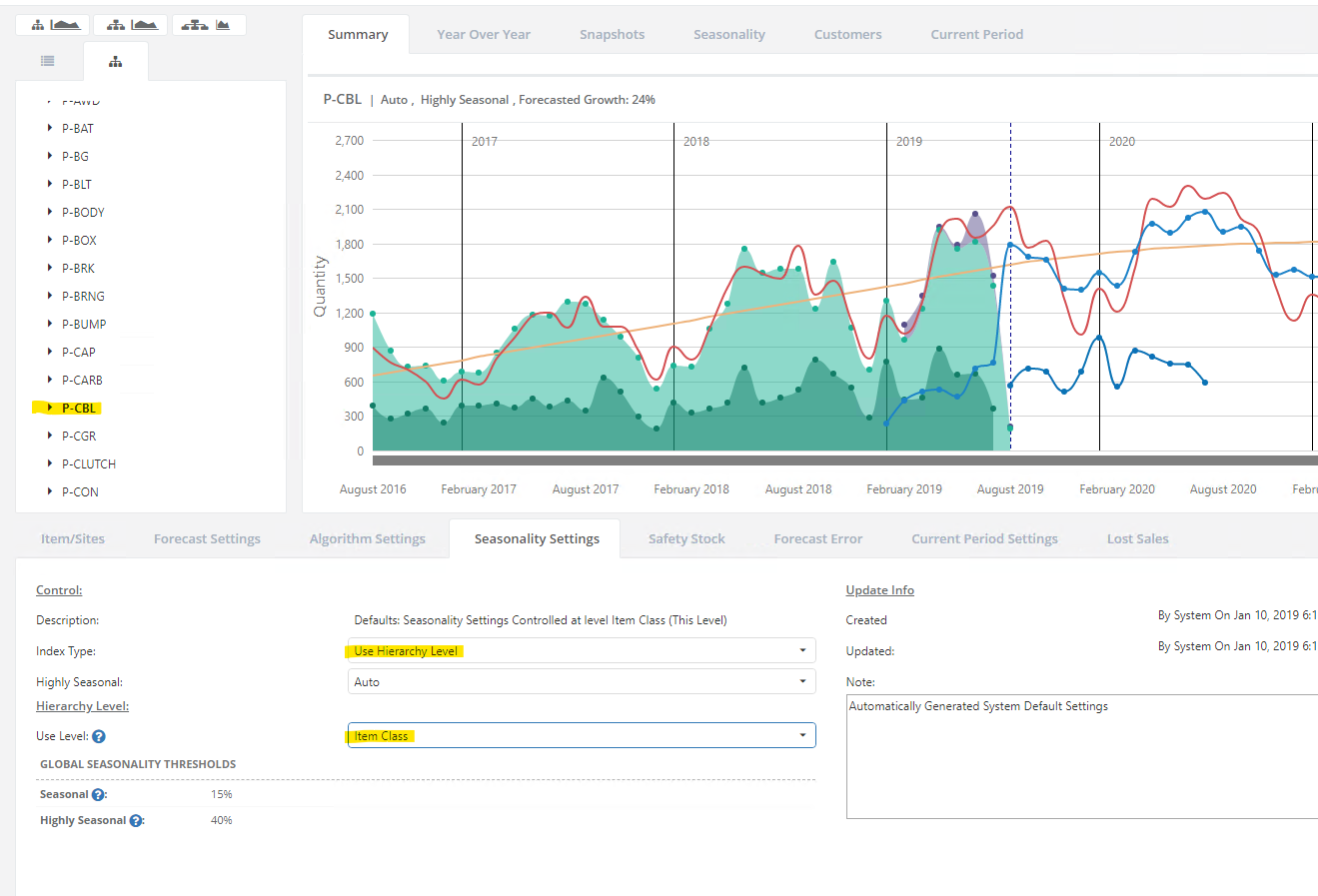
You can control the seasonality settings for all your items in the Seasonality Settings screen in Forecast Manager.
To have all items at or under a certain level of your forecast hierarchy, you can do so in one step by creating the seasonality settings at a higher level of the hierarchy and letting the settings inherit downwards in the hierarchy. Let's say you have a hierarchy level called "Item Class", and a item class called "P-CBL":
- Open Forecast Manager and click the Tree view.
- Click on the P-CBL item class - the P-CBL data will load
- Click the Seasonality Settings tab.
- Set the index type to “Use Hierarchy Level”
- Select “Item Class” in the “Use Level” box that appears
- Click Save
This seasonality setting will be propagated downwards to all the item-sites in that item class, so that each item will use the overall seasonality of the item class, rather than try to figure out their own.