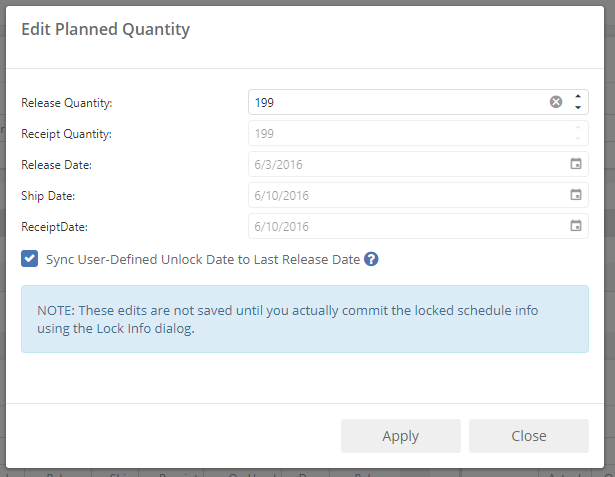
The Edit Planned Quantity dialog is accessed from the Order Schedule Detail grid when doing schedule locking activities. The purpose of this dialog is to allow you to specify a new or changed release quantity in order to modify the schedule of planned releases for an item.
When you open the dialog, it will allow you to enter a release quantity, and for informational purposes, fills in the release, ship, and receipt dates that correspond with your selected date.
Type in (or edit) the quantity of the release, and click "Apply". If you have made any changes, the schedule will be redisplayed and updated for you.
The "Sync User-Defined Unlock Date" option is checked by default. This means that if you have made a new modification further out than any existing lock, the schedule unlock date will be synced to this date, and/or brought further in if necessary. A schedule is always locked AS LEAST as far out as the last user-edited date.
NOTE: As the dialog says, edits you make in this screen are held in memory and are temporary only unless you commit them in the schedule lock info dialog box. This allows you to simulate before making any actual changes to your plan.